Tutorials
How to Create Professional AI Headshots in 2025
Discover the ultimate guide to creating stunning professional headshots using AI technology. Learn tips, tricks, and best practices.
By AI Photoshoots Team · 2025-01-15 · 5 min read
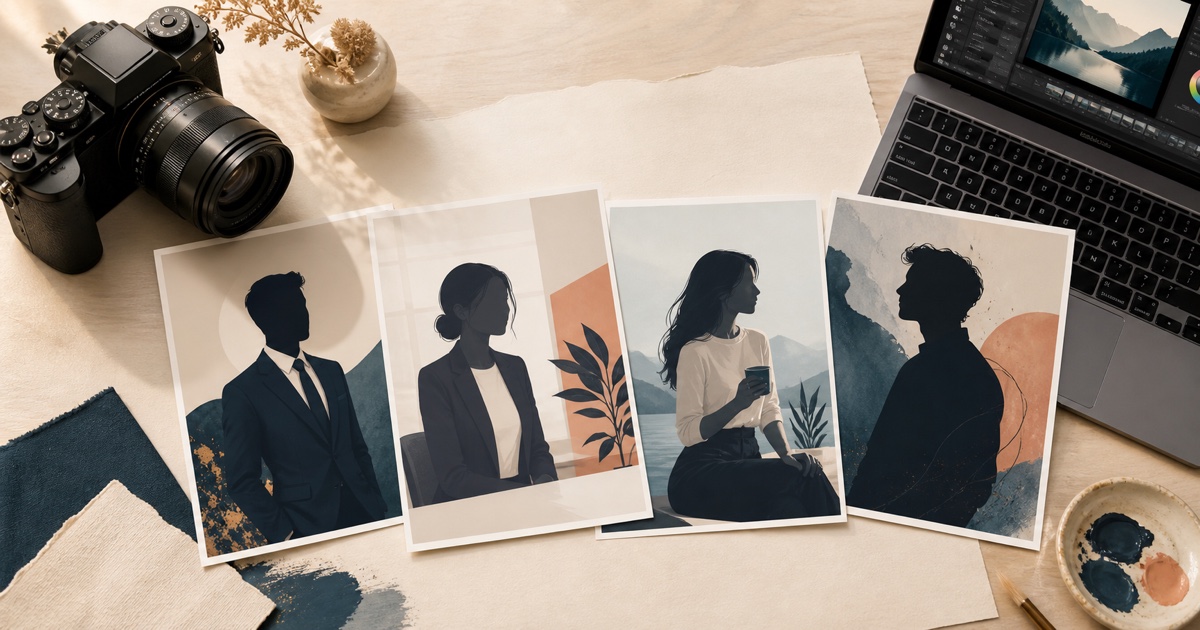
In today's digital world, your professional headshot is often the first impression you make. Whether it's for LinkedIn, your company website, or professional networking, having a high-quality headshot is essential.
But here's the problem: Traditional professional photography can be expensive and time-consuming. That's where AI-powered photoshoot tools come in.
Why Choose AI Headshots?
AI-generated headshots offer several game-changing advantages over traditional photography:
💰 Cost-Effective
No need to hire a professional photographer or rent a studio. Create unlimited headshots for a fraction of the cost.
⚡ Convenient
Generate professional photos from the comfort of your home, anytime you need them.
🎨 Multiple Styles
Create various looks for different purposes without booking multiple sessions.
⏱️ Quick Turnaround
Get results in seconds, not days or weeks of waiting for photographer availability.
♾️ Unlimited Variations
Generate as many options as you need until you find the perfect shot.
Best Practices for AI Headshots
1. Use High-Quality Source Images
The quality of your AI headshots depends heavily on your input photos. Here's what works best:
Lighting Matters
Use well-lit photos with natural lighting. Avoid harsh shadows or overly dark images.
Show Different Angles
Include various angles: front-facing, slight turns to the left and right, and different head tilts.
Vary Your Expressions
Provide photos with different expressions - professional smile, neutral confident look, and natural expressions.
Crystal Clear Features
Ensure your facial features are sharp and in focus. Blurry photos produce blurry results.
Upload 8-15 Photos
The sweet spot is 8-15 diverse photos. More variety = better AI training = superior results.
2. Choose the Right Style for Your Purpose
Different situations call for different headshot styles. Here's a quick guide:
Corporate/Business Headshots
✓ Clean, professional appearance
✓ Neutral background
✓ Business attire
✓ Best for: LinkedIn, corporate websites, formal presentations
Creative Headshots
✓ More personality and artistic elements
✓ Unique backgrounds
✓ Fashion-forward styling
✓ Best for: Creative portfolios, artistic profiles, media
Casual Professional
✓ Approachable, friendly vibe
✓ Business casual attire
✓ Relaxed setting
✓ Best for: Startups, tech companies, personal branding
Executive Headshots
✓ Authoritative presence
✓ Premium quality
✓ Confident, leadership-focused
✓ Best for: C-suite, board members, senior executives
3. Pay Attention to Critical Details
Background
Keep it simple and non-distracting. Solid colors or subtle textures work best.
Clothing
Choose professional attire appropriate for your industry. Avoid busy patterns.
Expression
Aim for a natural smile or confident neutral look. Avoid forced smiles.
Eye Contact
Look directly at the camera. Eye contact builds trust and connection.
Posture
Maintain confident and approachable body language. Shoulders back, chin slightly up.
Common Mistakes to Avoid
🚫 Poor Lighting in Source Photos
Dark or harsh lighting produces poor AI results. Always use well-lit images.
🚫 Over-Editing
Keep it natural and authentic. Excessive filters make you look artificial.
🚫 Inconsistent Styling
Match your headshot to your professional brand across all platforms.
🚫 Low Resolution Images
Always use high-quality input images. Low resolution = low quality output.
🚫 Forgetting to Update
Refresh your headshot every 1-2 years to keep it current and accurate.
Where to Use Your AI Headshots
Once you've created the perfect headshot, maximize its impact across:
✅ LinkedIn profile - Your professional calling card
✅ Company website - Team pages and about sections
✅ Email signature - Every email makes an impression
✅ Professional social media - Twitter, Instagram (professional account)
✅ Conference materials - Speaker bios and programs
✅ Business cards - Still relevant for networking
✅ Portfolio websites - Personal brand consistency
The Future of Professional Photography
AI photoshoot technology is revolutionizing professional photography.
With tools like AI Photoshoots, anyone can create studio-quality headshots without the traditional costs and time investment. As the technology continues to improve, we'll see even more realistic and versatile options.
The barriers to professional photography are disappearing, making high-quality headshots accessible to everyone.
Getting Started with AI Photoshoots
Ready to create your professional AI headshot? Here's your simple 4-step process:
Step 1: Upload Your Photos
Upload 8-15 high-quality photos showing different angles and expressions.
Step 2: Select Your Style
Choose "Business Headshot" or any of our 100+ professional styles.
Step 3: Generate
Click generate and watch AI create your professional photos in seconds.
Step 4: Download & Use
Download in high resolution and use across all your professional profiles.
The future of professional photography is here, and it's more accessible than ever before. No more expensive photo sessions, no more scheduling headaches, no more waiting weeks for results.
Transform your professional image today with AI Photoshoots.