Student Guides
Passport-Size Photo for University Applications: Student Guide
Find the right photo size for university, scholarship, student ID and internship applications—and learn when an AI headshot is appropriate.
By AI Photoshoots Team · 2026-08-29 · 8 min read
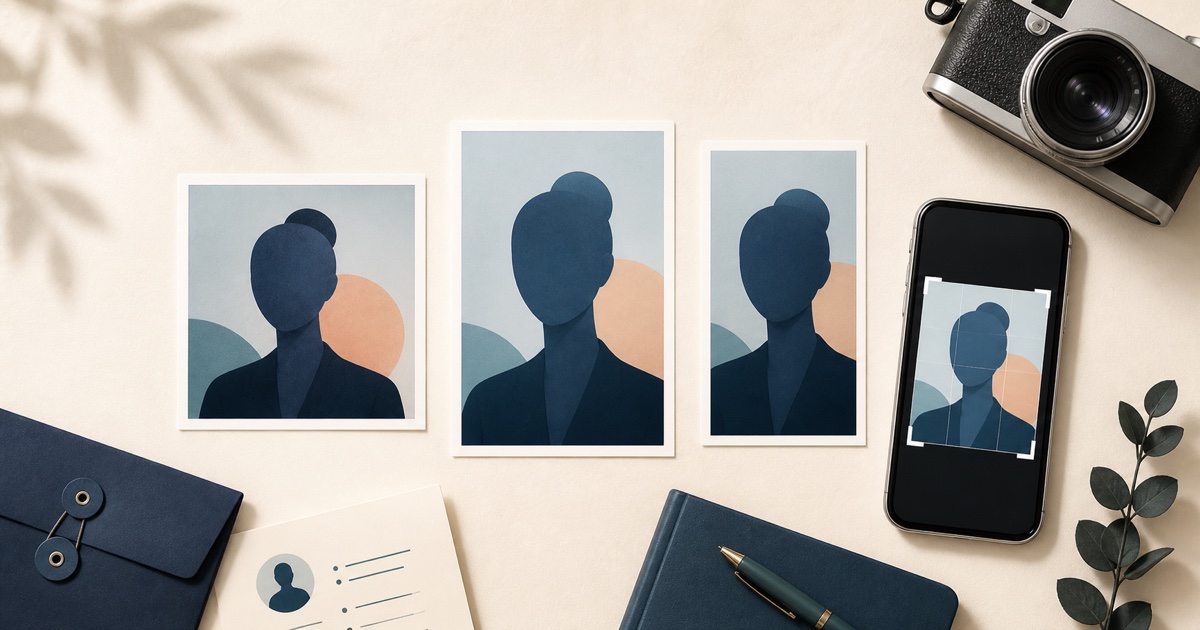
When a university, scholarship, examination body, or student portal asks for a passport-size photo, do not guess the dimensions. There is no single worldwide “passport-size” file. The correct image depends on the institution, country, portal, and purpose.
The best first step is to find four details in the application instructions: pixel dimensions or aspect ratio, file format, maximum file size, and photo style. If any detail is missing, ask the admissions team before uploading.
What does “passport-size photo” mean for a student application?
In a school application, the phrase usually means a clear identity-style head-and-shoulders photo. It may not mean the exact size used by your national passport authority.
A portal could ask for:
- A square profile image such as 600 × 600 pixels
- A 35 × 45 portrait crop
- A 2 × 2 inch print
- A custom pixel size shown beside the upload field
- A casual but recognizable student profile picture
These are not interchangeable. Follow the receiving institution’s written instructions, not a size remembered from another application.
First identify which type of photo you need
University admission portal photo
This image may be used to identify your application, create an internal profile, or prepare enrollment records. The institution decides the size, background, recency, and editing policy.
Scholarship application photo
Some scholarships want a formal headshot for a reviewer profile or publicity if you are selected. Others want a strict identity photo. Read the purpose and consent language before deciding on the style.
Student ID card photo
A student ID photo normally needs a current, recognizable face on a simple background. Schools may restrict hats, sunglasses, filters, side poses, or edited backgrounds because the image is used for identification.
Examination or testing photo
Exam platforms often compare the uploaded image with your identity document or live check-in camera. Use an accurate, recent photo and avoid visual effects that could make verification harder.
Visa or immigration photo
This is not an ordinary school profile image. It is an official government photo with separate rules. For an F-1 or M-1 application, read our U.S. student visa and DS-160 photo guide. Do not use AI editing for a regulated U.S. visa or passport photo.
Academic and career profile photo
A department biography, internship application, conference speaker page, LinkedIn profile, or graduate portfolio may allow a polished professional headshot. When the platform permits it, this is where AI Photoshoots’ professional styles can help you create a consistent career image.
Student application photo checklist
Before taking or editing the picture, copy the requirements into a short checklist:
- Required width and height in pixels, millimetres, or inches
- Aspect ratio, such as 1:1, 7:9, 3:4, or another custom ratio
- JPEG, PNG, or another accepted file format
- Minimum and maximum file size
- Color or black-and-white requirement
- Background color
- Head-and-shoulders or full-body framing
- Neutral expression or natural smile
- Glasses, headwear, uniform, and jewelry rules
- How recent the photo must be
- Whether retouching, background changes, or AI images are prohibited
Save a screenshot or copy of the instructions. That makes it easier to check the finished file before uploading.
How to take a good university application photo
Choose a simple location
Use a clean wall and remove visual clutter. If the institution names a background color, create that background physically whenever the image will be used for identity verification.
Put the camera at eye level
Ask someone to take the photo or use a stable tripod and timer. Keep the camera level and look toward the lens. Avoid a close selfie, which can distort facial proportions and crop the shoulders awkwardly.
Use even light
Soft window light from the front works well. Avoid direct sunlight, colored lights, strong overhead shadows, and bright windows behind you.
Dress for the purpose
For admission and identification, use simple everyday clothing with good contrast against the background. For a scholarship biography, internship, or professional program profile, choose a polished outfit that fits the field.
Leave room to crop
Keep the full head and upper shoulders inside the original frame. Leave extra space on every side. A slightly wider original is easier to adapt to square, 35 × 45, or custom portal dimensions.
How to resize a student photo to exact dimensions
Start with the free student application photo resizer when the portal gives a maximum file size and permits technical compression. It processes the image locally and preserves the original aspect ratio:
- Choose the original photo.
- Select JPEG or WebP only if the portal accepts that format.
- Choose the portal’s maximum KB limit or enter a custom limit.
- Create and download the smaller copy.
- Confirm its dimensions and file size before upload.
The resizer never stretches the face and never replaces your original. If the portal requires a square 600 × 600 file, use the separate 600 × 600 photo maker. If it requires another exact crop or pixel size, follow the institution’s workflow or use a crop tool it permits.
For a strict identity photo, avoid adjustments and AI editing unless the institution clearly allows them. For a non-official professional profile, you can explore AI headshots for students after confirming the platform’s policy.
When AI is useful—and when it is not
Appropriate uses when the institution permits them
AI photography may be useful for:
- A graduate program biography page
- A student organization profile
- An internship or placement profile
- LinkedIn and an online portfolio
- A conference speaker or research-team page
- A scholarship publicity headshot when an accurate professional portrait is allowed
Use an image that still looks recognizably like you, and disclose AI use if the application or institution asks.
Uses that need an original, unedited photo
Do not use an AI-generated or AI-edited photo for:
- U.S. passport applications
- U.S. visa or Diversity Visa submissions
- Any government document that prohibits digital editing
- An examination identity check that requires an original photo
- A student ID system whose policy rejects retouching or synthetic images
When rules are unclear and the photo will verify identity, choose a recent original photograph.
Common student photo upload problems
“Invalid dimensions”
The aspect ratio or exact pixel size is wrong. Enter both output dimensions rather than choosing a visually similar crop.
“File too large”
Export as JPEG if allowed and reduce the JPEG quality gradually. Keep the face sharp and inspect the final file for compression artifacts.
“Unsupported format”
A file may look correct but be saved as HEIC, WebP, or PNG when the portal accepts only JPG. Export in the exact requested format.
The image appears sideways
Phone photos can contain orientation metadata that some older portals misread. Rotate the photo correctly in the editor and export a new copy.
The face is cut off after upload
Some portals create their own circular or square preview. Leave safe space around the hair and shoulders and check the preview before submitting.
The school calls it “passport photo” but gives no size
Do not assume 2 × 2 or 35 × 45. Search the admissions FAQ, student ID office, or upload help text. If no dimensions are published, contact the institution.
A simple file-naming system for applications
Use a clear filename without private document numbers. A format such as firstname-lastname-university-photo.jpg is easier to recognize than IMG_4827.jpg.
Keep separate files for separate purposes:
student-application-original.jpguniversity-600x600.jpgstudent-id-35x45.jpginternship-professional-headshot.jpg
Do not overwrite your only original photo.
Frequently asked questions
What size is a passport photo for a university application?
There is no universal size. Use the width, height, aspect ratio, format, and file-size limit published by the institution or portal.
Can I use a selfie?
Only if the rules allow it and the result is clear, current, well lit, and correctly framed. A timer or another person usually produces a more natural perspective than a close handheld selfie.
Can I use the same photo for university and visa applications?
Do not assume so. A university profile photo and a government visa photo serve different purposes. The visa photo must independently meet the current government rules and must not be AI edited.
Should I smile in an application photo?
Follow the instructions. A natural smile may suit a student biography or scholarship profile, while an identity or government photo may require a neutral expression.
Is a 35 × 45 photo the same as a 2 × 2 photo?
No. A 35 × 45 image is a vertical 7:9 rectangle. A 2 × 2 image is square. See our passport photo size guide for a clear comparison.
Final advice for students
Treat the upload instructions as part of the application. Confirm the exact requirement, take a clean original with room to crop, export a separate file for each portal, and preview the result before submitting.
Use AI Photoshoots’ crop and export tools for exact technical sizing. Use its professional AI styles only for non-official profiles that permit them. That distinction protects both your application and your professional presentation.